_-_Icon_Blue_(RGB_300ppi).jpg)

Clearing Cache on iPads

Last updated: Aug 14, 2026
671
views

How to Clear Cache in Safari on an iPad
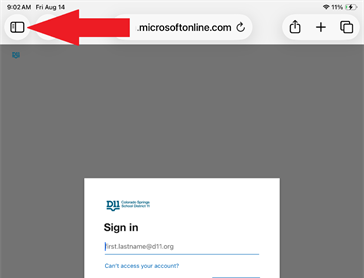
- Click the Sidebar button in the top-left corner.
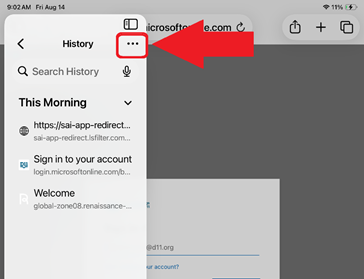
- Click the three dots
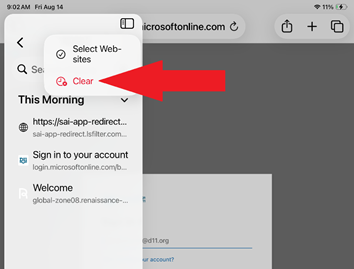
- Click ‘Clear’
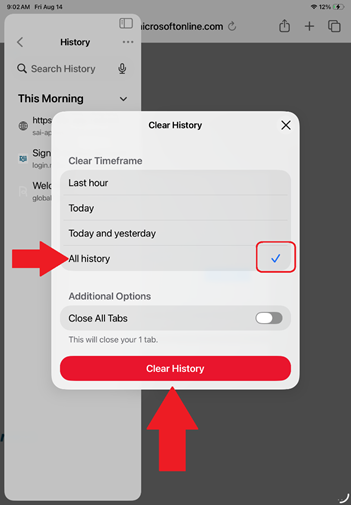
- Select ‘All history’ then click ‘Clear History’